
Yuzu eReader
Barnes & Noble CollegeEducation
3.6591.00 Reviews
- Version
- 11.4.2
- Installs
- 100.00K
- Age Rating
- Everyone
Screenshots
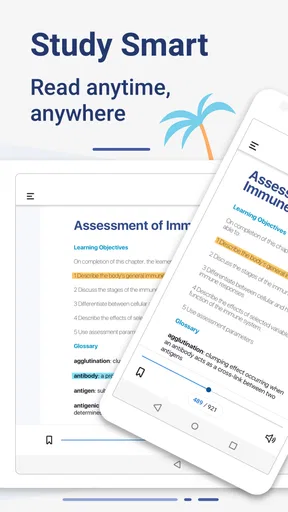
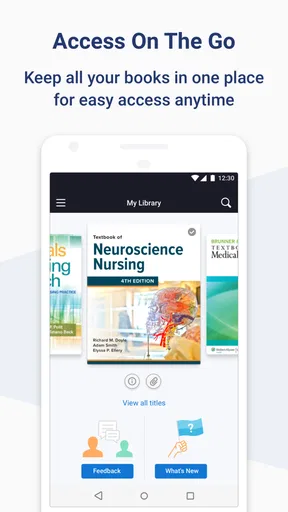
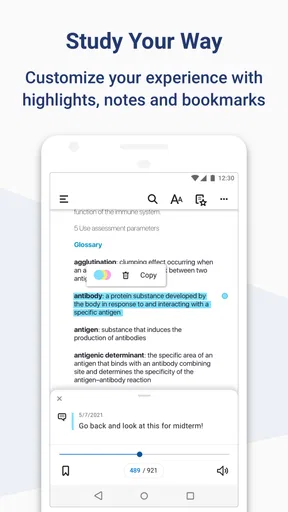
Our Review of Yuzu eReader
 Analysis by Appyee
Choosing a digital reading app is less about finding the one with the longest feature list and more about matching it to the way you actually study or read. I approached Yuzu eReader as an education app first: a place for digital course material, reading, and interaction rather than a general-purpose bookstore replacement. That distinction matters, because the right choice depends on where your books come from, how often you switch between devices, and whether your priority is academic content or casual reading.
Yuzu is developed by Barnes & Noble College and is available free of charge. It is rated for Everyone, which makes the basic audience broad, although the material you access through it may naturally be aimed at particular courses or age groups. The app has been available since May 3, 2016, and its current version is 11.4.2 for devices running Android 9 or later. In practical terms, it is an established reader rather than a brand-new experiment, but its usefulness still depends heavily on the digital content connected to your studies.
How I would decide whether Yuzu fits my reading routine
My first question would be simple: where will your reading material come from? If you already use digital textbooks or course content associated with Barnes & Noble College, Yuzu makes more sense than choosing a general reading app and trying to recreate an academic workflow inside it. If you mainly want novels, magazines, or documents from unrelated sources, the app may not be the most natural starting point.
The second question is how you read. A student who moves between assigned chapters, reference material, and interactive digital content needs a different experience from someone who reads one novel at night. Yuzu is positioned around learning, reading, and interaction, so I would judge it by how well it supports focused study rather than by whether it feels like a minimalist leisure-reading application.
The third criterion is convenience during ordinary interruptions. Students rarely read in perfect conditions. You may have ten minutes before class, a longer session at home, or a need to return to a particular passage while preparing an assignment. A useful education reader should reduce the time spent locating material and help you resume a task without turning every session into setup work.
I would also consider device age before installing it. The minimum requirement of Android 9 is not especially demanding for many current phones, but older devices may still fall outside that range. On iOS, the practical question is less about the label of the platform and more about whether your chosen device supports the app and gives you enough screen space for comfortable reading. A phone can be convenient for quick checks, while a tablet is usually the better choice for extended textbook pages.
The everyday student scenario where it makes sense
Imagine that I have a reading assignment between two classes. I open the app on my phone, find the relevant digital material, read a few pages while waiting, and later continue on a larger screen when I have time to study properly. That kind of split routine is where an education-focused reader can earn its place. The value is not simply displaying words; it is keeping course reading close at hand when my schedule is fragmented.
There is another useful scenario: preparing for a discussion without carrying a physical textbook. I can use a short break to revisit a section, compare it with the rest of the assigned material, and arrive at class with the context fresh. This is a different job from reading for relaxation, and it explains why an app built around digital content can be worthwhile even when I already own a general e-reader.
My practical tip would be to test the app with the exact material you expect to use before reorganizing your study habits around it. Do not judge it only by opening the reader and browsing a screen. Check whether the content you need is easy to reach, whether the text is comfortable at your preferred size, and whether the workflow feels faster than using a browser or a separate document reader.
What the reading experience is best suited to
Yuzu’s strongest identity is as a bridge between reading and learning. That makes it more relevant to digital textbooks and structured course content than to a personal library assembled from many unrelated services. I would expect the app to appeal most to readers who want their educational material in one dedicated place instead of treating every chapter as an isolated file.
The interactive side is important in that decision. The store summary describes an experience that lets users learn, read, and interact with digital content. I would therefore look beyond page turning and ask whether the material feels like something I am working through rather than merely viewing. For study, that distinction can influence whether I remember what I read and whether I return to the app when an exam or assignment approaches.
A less obvious benefit of using a dedicated education reader is mental separation. When course material sits inside the same app as entertainment, notifications, social feeds, and unrelated documents, it is easy for a short reading session to become distracted. A focused reader gives the activity a clearer boundary. That will not solve every concentration problem, but it can make a ten-minute review session more intentional.
At the same time, I would not confuse a focused environment with a complete study system. A reader can help me consume and revisit material, but I still need my own method for turning reading into notes, questions, revision prompts, or an assignment. The app is most useful when it supports that process rather than pretending to replace it.
Where this app has a practical advantage
The clearest advantage is alignment with educational reading. Barnes & Noble College is not presented here as a general software developer with an unrelated reader attached; the app’s identity is tied to college content. That gives Yuzu a more specific purpose than a generic e-book application. If my school materials are already connected to this ecosystem, choosing the dedicated reader can be simpler than forcing academic content into a leisure-oriented alternative.
Its free price also lowers the barrier to trying it. I can install it without making a separate purchase decision for the app itself, then decide whether the reading workflow suits me. That is especially useful for students who do not want to pay for several competing readers just to discover which one handles their material comfortably.
The app has also attracted a substantial user base, with more than 100,000 installs. Its average rating is 3.6 from around 900 ratings, alongside roughly 600 written reviews. I read that combination as a reason to try it personally rather than assume universal satisfaction. There is enough adoption to show that it serves a real audience, but the rating suggests the experience may not feel equally smooth for everyone.
One concrete way to get more from it is to use it as the starting point for a repeatable reading routine. Instead of opening it only when an assignment is urgent, I would make a habit of checking the next section after finishing a study session. That small step reduces the friction of deciding what to read next and makes the app part of a schedule rather than an emergency tool.
Where a different category may fit better
A general e-book app may be a better choice if my library is mostly novels and I care about a broad leisure-reading catalog. Those apps are usually designed around browsing and personal reading collections, while Yuzu’s educational focus may feel unnecessary for someone who simply wants to relax with fiction.
A document reader may fit better when my material consists of independent files gathered from many places. If I routinely work with PDFs, scanned documents, handouts, and files created by other people, I would compare the effort of bringing that material into Yuzu with the convenience of using a reader designed around local or mixed documents. The more varied the sources, the more important that distinction becomes.
A note-taking app may also be the stronger companion for active study. If my main goal is handwriting, outlining, annotating a lecture, or combining text with diagrams, I would not choose an e-reader alone. Yuzu can occupy the reading part of the workflow, but a dedicated notes tool may be better for processing ideas after I finish a chapter.
There is a trade-off here that is easy to miss: specialization can make an app clearer for one job while making it less flexible for another. The more my needs move away from educational digital content, the less compelling Yuzu becomes. I would rather use two well-matched tools than expect one reader to handle textbooks, novels, scanned articles, handwritten notes, and every other format equally well.
The friction of moving from another reader
Switching to Yuzu is not only an installation decision. The real cost is changing where I look for material, how I resume reading, and how I connect chapters with my existing notes. If I already have a comfortable routine in another reader, I would not move everything merely because Yuzu is free. I would switch when its connection to my educational content saves enough time to justify learning a new workflow.
My suggested transition would be deliberately small. I would start with one active course or one current reading project rather than attempting to rebuild an entire digital library. That makes it easier to notice whether the app improves access to assigned material. It also prevents a disappointing first impression from disrupting every other part of my reading life.
I would keep my existing notes system during the trial period. This is a useful test because it reveals whether Yuzu complements the way I study or forces too many changes at once. If I can read in the app and continue summarizing or revising elsewhere without losing track of the source, the arrangement may work. If moving between tools constantly interrupts concentration, a more integrated alternative may be preferable.
Another practical tip is to test the app during the kind of session in which you actually struggle. Use it when you are tired, short on time, or switching between screens, not only when everything is calm. A reader that feels fine during a five-minute demonstration may still be awkward during a long study block. Real conditions expose the cost of extra taps, unclear organization, or an uncomfortable layout much faster.
What the rating and audience suggest about expectations
The 3.6 average tells me to approach Yuzu with measured expectations. I would not interpret it as proof that the app is poor, because an education reader can be judged on many factors outside simple page display, including the content supplied to a particular user and the fit with a school’s workflow. I would interpret it as a reminder that personal compatibility matters.
The broad Everyone age classification is helpful for families and younger learners who meet the technical requirements, but it should not be mistaken for a promise that every book or course inside the service is aimed at children. The app is a container and reading environment; the educational material determines the actual academic level.
For me, the best test would be concrete: Can I reach the assigned content quickly? Can I read for a sustained period without wanting to move immediately to another app? Can I return to a chapter when I need it for class? If the answer is yes, the moderate rating becomes less important than the fit with my own routine. If the answer is no, popularity alone is not a reason to persist.
My recommendation for different kinds of readers
I would recommend Yuzu to students whose digital course materials are closely connected to Barnes & Noble College and who want a dedicated place for learning and reading. It is also worth trying for anyone who prefers a focused educational reader to a general bookstore app, especially when the app’s free price makes a low-risk trial possible.
I would be more cautious if I wanted a universal reading shelf. People who read across many sources, depend heavily on personal documents, or need advanced note-taking as the center of their workflow should compare other categories first. Yuzu may still be useful alongside those tools, but it should not automatically become the only app in the setup.
My final decision would come down to content compatibility rather than the download count or the name behind it. Install it, test one real assignment, and pay attention to the complete path from opening the app to finishing a useful reading session. If that path feels natural, Yuzu can be a practical part of a student’s mobile study routine. If it adds another layer between you and material you already access easily elsewhere, staying with your current reader is the smarter choice.
Overall, I see Yuzu as a specialized education app with a clear purpose, not a universal replacement for every e-reader on Android or iOS. Its best quality is the way it places digital learning content at the center of the experience. Its main limitation is the same specialization: readers outside that context may find a general reader or document tool more flexible. For the right student, the deciding advantage is a smoother path to assigned reading, and that is a strong enough reason to give it a fair, hands-on trial.
Verdict
Strengths of Yuzu eReader
- Clean, distraction-free reading interface
- Supports customizable fonts, spacing, and page layouts
- Useful library organization for large ebook collections
- Reading progress syncs smoothly across supported devices
- Low battery consumption during extended reading sessions
Limitations of Yuzu eReader
- Some advanced features require a paid subscription
- Occasional formatting issues appear in complex EPUB files
- Initial library scanning can take time with many books
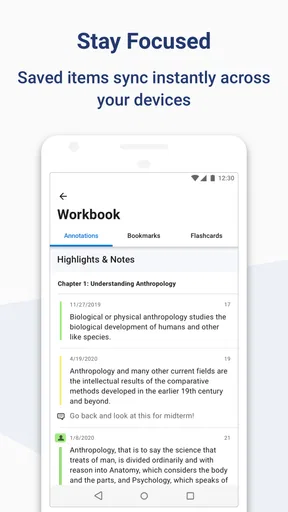
- Limited built-in tools for highlighting and note management
- Compatibility varies between ebook formats and devices
Similar Picks in This Category
View All
Duolingo: Language Lessons
Duolingo4.7

Google Classroom
Google LLC2.8

Unacademy: Learn & Crack Exams
Unacademy3.2

Bible App for Kids
Life.Church4.4

Cake - Learn English & Korean
Cake Corp.4.7

Brainly: AI Homework Helper
Brainly4.5
Frequently Asked Questions
What is Yuzu eReader and what can I use it for?
Yuzu eReader is a digital reading platform designed for accessing electronic textbooks and course materials, particularly those supplied through supported educational publishers or institutions. After signing in, readers can open their assigned books, browse chapters, search for terms, and use study-oriented tools such as highlighting or notes when available. It is more focused on structured academic reading than on buying and reading general-purpose ebooks.
How do I access books in Yuzu eReader?
Access usually depends on having a valid Yuzu account, an invitation or entitlement from a participating school, college, publisher, or bookstore, and the correct login details. The app does not necessarily provide an open catalog where anyone can download books freely. Before installing it, confirm that your institution or course supports Yuzu and that your digital textbook has been assigned or purchased through the required channel.
Does Yuzu eReader work offline?
Yuzu eReader may allow supported textbooks to be downloaded for offline reading, which is useful when traveling or studying without a reliable internet connection. However, offline availability can depend on the title, licensing rules, account status, and whether the book has been opened or downloaded in advance. It is best to synchronize your library and download required materials while connected to Wi-Fi before going offline.
What reading and study features are available in Yuzu eReader?
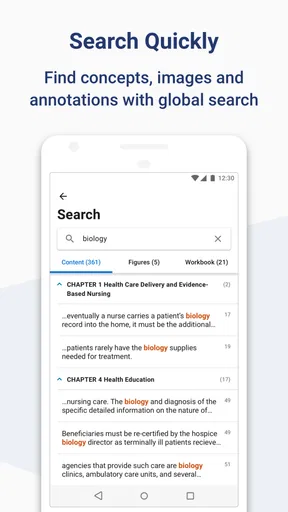
The available tools can vary by book and platform, but Yuzu eReader is intended to provide more than simple page turning. Depending on the textbook, you may find text search, bookmarks, highlighting, notes, navigation through chapters, and adjustable reading settings. Interactive elements, media, or supplementary resources may require an internet connection and might not behave identically on Android, iPhone, iPad, and other supported devices.
Is Yuzu eReader free, and what should I know about compatibility?
Downloading the Yuzu eReader application may be free, but access to textbooks is generally controlled by purchase, rental, subscription, or an educational entitlement rather than by the app itself. Check the current store listing for supported Android or iOS versions, because older devices may not receive the same features or performance. Also make sure your device has enough storage for downloaded textbooks and any included media.
